

10x Faster Instagram Growth. Automatically.
Quick answer: You cannot add a clickable link directly to an Instagram post caption. Links in posts appear as plain text. To share clickable links, you need to use your bio, Stories (link sticker), or Instagram ads.
Instagram is a great platform for promoting content, brands, and even full-scale businesses. But when it comes to links, many people wonder how to add a link to an Instagram post directly. At first, it seems easy – just copy the URL, paste it into the caption, and you’re done. But if you’ve tried it, you’ve probably noticed the link doesn’t actually become clickable.
So let’s break down how links work on Instagram and which methods actually help drive people to your website.

Table of Contents
Can I Add a Link to an Instagram Post Directly?
Short answer: No, you can’t add a clickable link directly inside an Instagram post.
Say you run an online shop and you post a photo of a new product. You drop the website link into the caption, thinking people will just tap it and go. But instead, the link sits there as plain text.
Technically, you can paste a URL into a caption, but it will not become clickable. People would have to copy it manually or open a browser and type it in themselves, which most users simply won’t do.
And no matter how many times you try to add a link directly to a post, Instagram just doesn’t allow it. That’s why most brands and bloggers use other methods to send traffic where they want it to go.
Why Your Instagram Link Is Not Clickable
If you’ve ever pasted a link into an Instagram caption and noticed it doesn’t work, you’re not alone. Instagram intentionally disables clickable links in posts.
There are a few reasons for this:
- Prevent spam and low-quality links
- Keep users inside the app longer
- Encourage use of ads and official link features
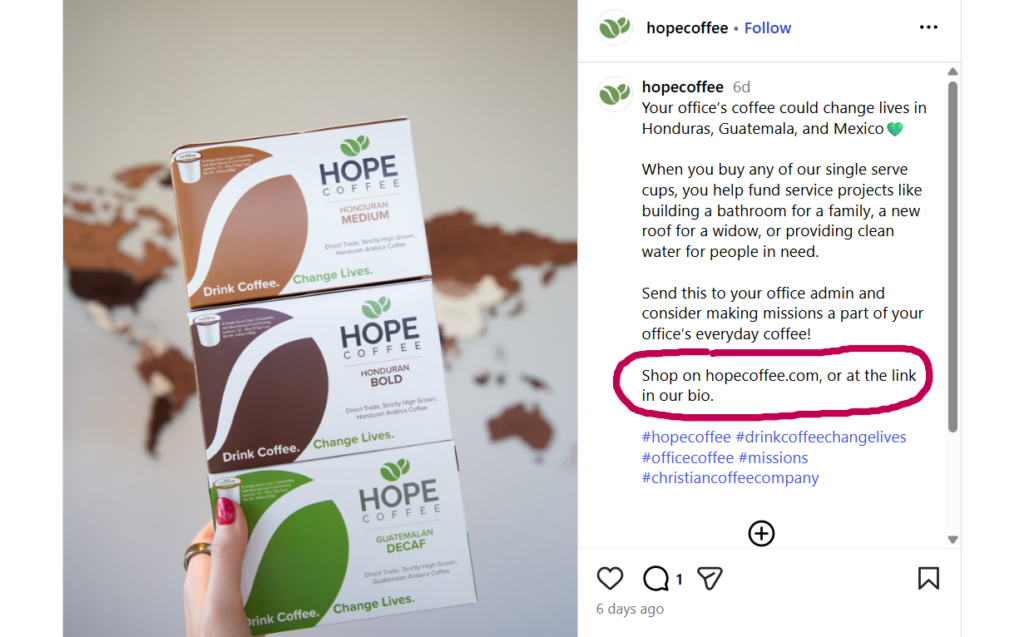
Because of this, any URL added to a caption will appear as plain text only. Users cannot tap it — they would need to copy and paste it manually, which most people won’t do.
Why Instagram Doesn’t Allow Clickable Links in Posts
This isn’t a bug or a restriction on your account – it’s just how Instagram works. The platform simply doesn’t support clickable links in regular posts.
Instagram was built as a visual platform, where photos and videos take center stage. When users start leaving the app to visit external websites, it reduces the time they spend inside Instagram, and the platform doesn’t love that.
So if you’re searching, can you add links to Instagram posts, don’t expect to find some hidden trick. That said, it doesn’t mean you can’t drive traffic from your posts at all. Instagram just limits clickable links to a few specific places:
- Your profile bio
- Certain link stickers in Stories
- Ads
- Call-to-Action in Your Caption
Next, we’ll break down how to actually use these options in a smart way.
How the “Link in Bio” Strategy Works
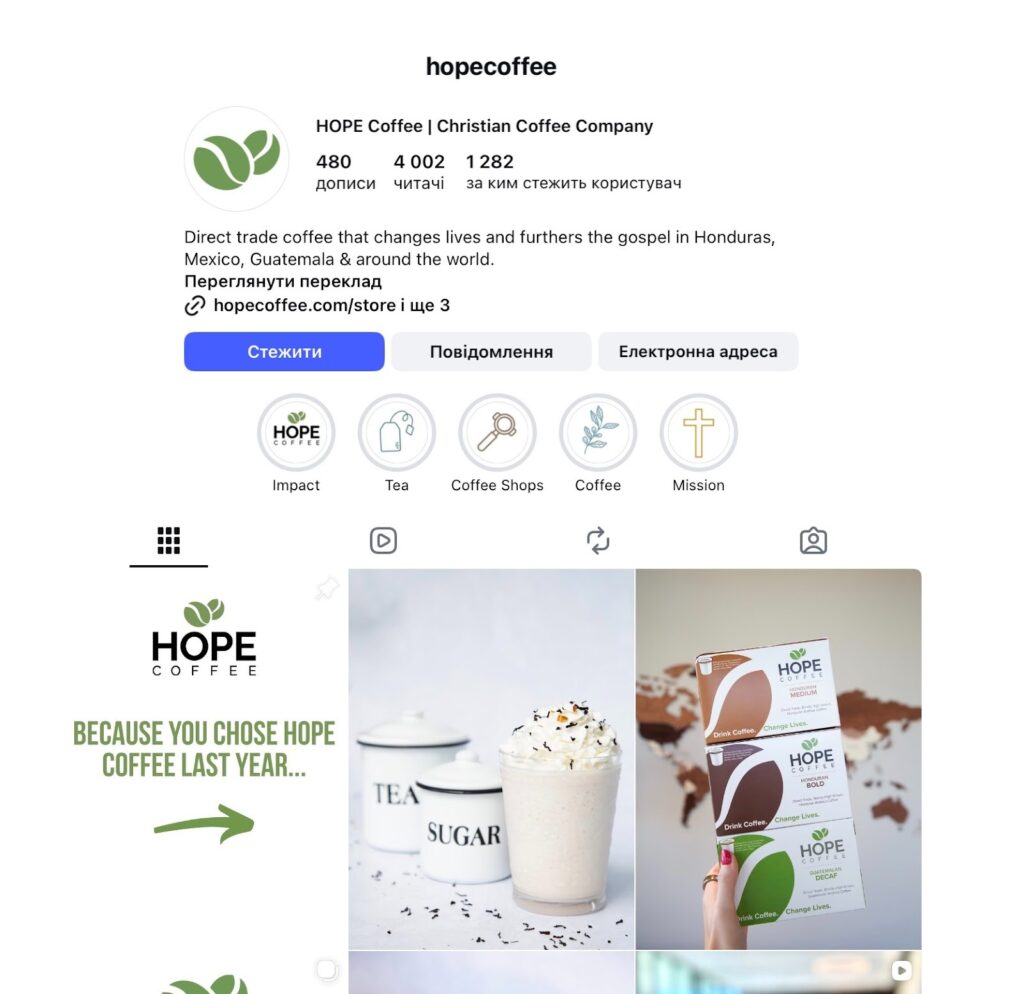
One of the most popular ways to get around this limitation is the link in bio. Over time, this approach has basically become a standard part of Instagram marketing.
The idea is simple:
- You add a clickable link to your profile bio.
- You publish a post.
- In the caption, you write something like “link in bio.”
Many brands use this method when they want to add a link to Instagram post at least indirectly. The post grabs attention, and the bio becomes the place where people actually click.
To make this strategy work better, some users change the bio link from time to time so it matches a specific post, product, or campaign.
How to Add a Clickable Link to Your Instagram Bio
Since you can’t add clickable links to posts, your bio becomes the most important place for links.
Follow these steps:
- Open Instagram and go to your profile
- Tap “Edit Profile”
- Find the “Website” field
- Paste your link
- Tap “Done”
Now your link is clickable and visible to anyone who visits your profile.
Many users also use tools like link-in-bio pages to share multiple links at once.
How to Add a Link to an Instagram Post Indirectly
You can’t add a clickable link directly in a regular Instagram post. But don’t worry, there are still ways to send people where you want. Here’s how:
Link in Stories with a Sticker
If you can use Stories, add a link sticker. It’s simple. Post your feed content, then make a Story saying: “New post alert! Swipe up or tap the link!” Traffic moves to your site.
Link in Ads
Ads work differently from normal posts. Include a clickable link that sends people straight to your website, shop, or page.
How to do it:
- Pick a post or create a new ad.
- Add your website URL in the ad settings.
- Publish.
Now people can click the link directly from the ad. No bio, no copying. That’s the main difference: ads let people click links directly, unlike regular posts.
Comment with a Link
Some brands put the URL in the first comment. It doesn’t become clickable, but users can copy it more easily than from the caption.
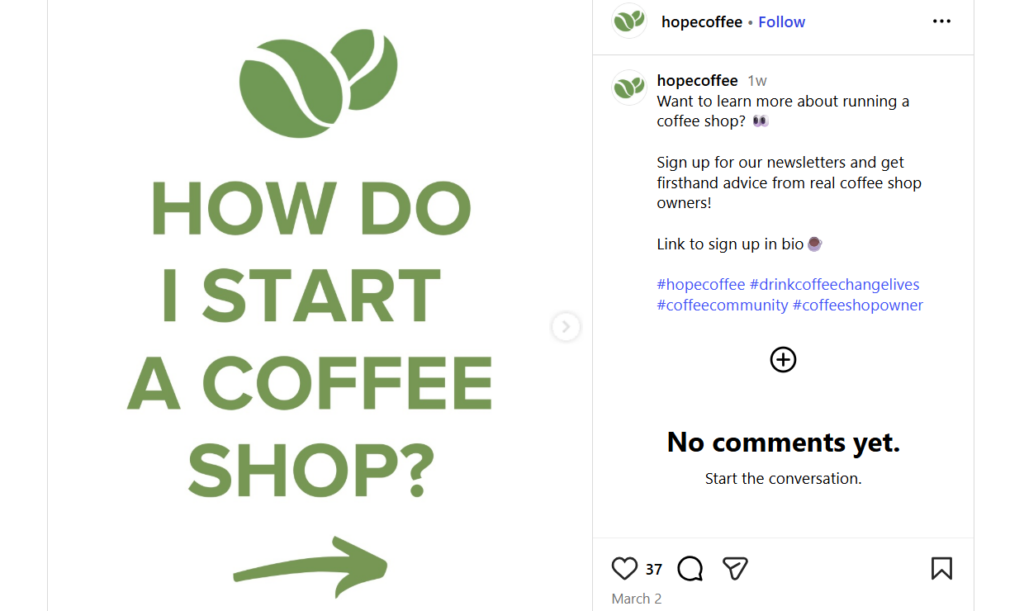
Call-to-Action in Your Caption
Even without a clickable link, your caption can guide people. Examples:
- “Check the link in bio!”
- “Full guide in our bio”
- “Visit our site through the profile link”
These tips gently show your audience what to do next.
Can You Add Links to Instagram Stories?
Yes, Instagram allows clickable links in Stories using the link sticker.
To add a link in Stories:
- Create a Story
- Tap the sticker icon
- Select the “Link” sticker
- Paste your URL
- Place the sticker on the screen
This is one of the easiest ways to drive traffic directly from Instagram content.
Should You Even Put a URL in Your Caption?
It depends on what you’re trying to achieve with the post. If you write a long URL, like a blog page or store link, most people won’t bother copying it.
Short and simple links can sometimes work, especially if:
- They’re easy to read
- They include your brand name
- They go to a simple page
Either way, use your caption to guide people, even if the link isn’t clickable.
Tips for Adding a Link to Your Instagram Post More Effectively
If you want more clicks, it’s not just about where you put the link. How you display it matters too.
A few simple tips:
- Use clear calls-to-action (CTA)
- Explain what people will get if they click
- Make content that sparks curiosity
Rather than just saying “link in bio,” you could say “Full tutorial in bio,” “Get the checklist from the link in bio,” or “See the full guide through the profile link.” These kinds of phrases give people a better reason to click.
FAQs About Instagram Links
Can you make a link clickable in an Instagram post?
No. Instagram does not allow clickable links in post captions. Links appear as plain text only.
Where can you add a clickable link on Instagram?
You can add clickable links in your bio, Stories (via link sticker), and ads.
Why doesn’t Instagram allow clickable links in posts?
Instagram limits clickable links to keep users inside the app and reduce spam.
What is the best way to share a link on Instagram?
The most effective method is using the link in bio combined with a clear call-to-action in your post.
Conclusion
So, that’s how to add a link to an Instagram post, at least indirectly. But don’t worry! Most bloggers and brands work around this with a mix of bio links, Stories with links, and clear calls-to-action in captions.
If you want to drive more traffic from Instagram, focus on combining strong content with smart link strategies. Use your bio, Stories, and clear calls-to-action to guide users.
Tools like Plixi can also help grow your audience, which means more people clicking your links and engaging with your content. The bigger your reach, the more effective your link strategy becomes.
The #1 Rated Instagram Growth Service
Plixi helps you get more Instagram followers, likes and comments (and a bunch of other stuff) 10x faster.
Start Growth